Flutterwave Payment Gateway
This guide covers the basic Flutterwave setup (copy the Public Key into the Flutter client .env).
caution
This setup uses client configuration only.
For a secure production setup, you must implement server-side verification + Flutterwave webhooks in /Halo_Doctor_Cloud_Function_Firebase.
1) Create a Flutterwave account
- Register a new Flutterwave account: https://flutterwave.com/
- After registration, open your Flutterwave Dashboard.
2) Copy your API Public Key
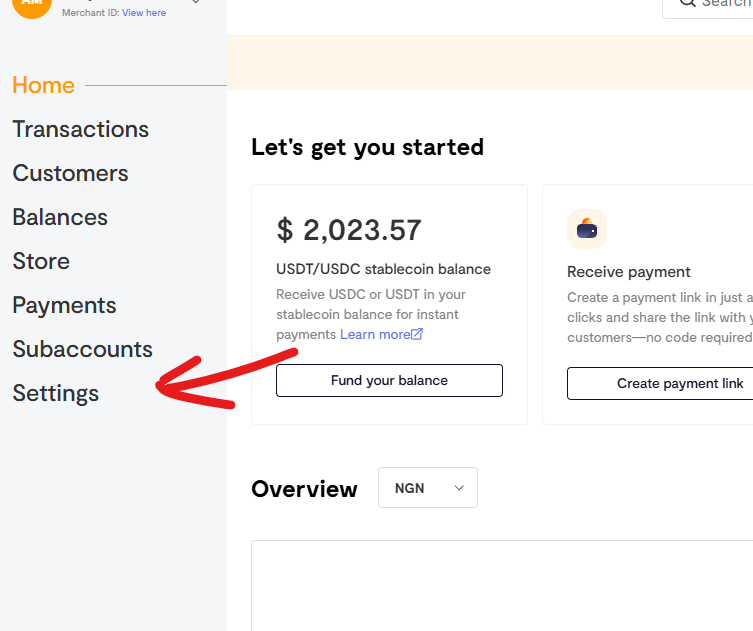
- In Flutterwave Dashboard, go to Settings
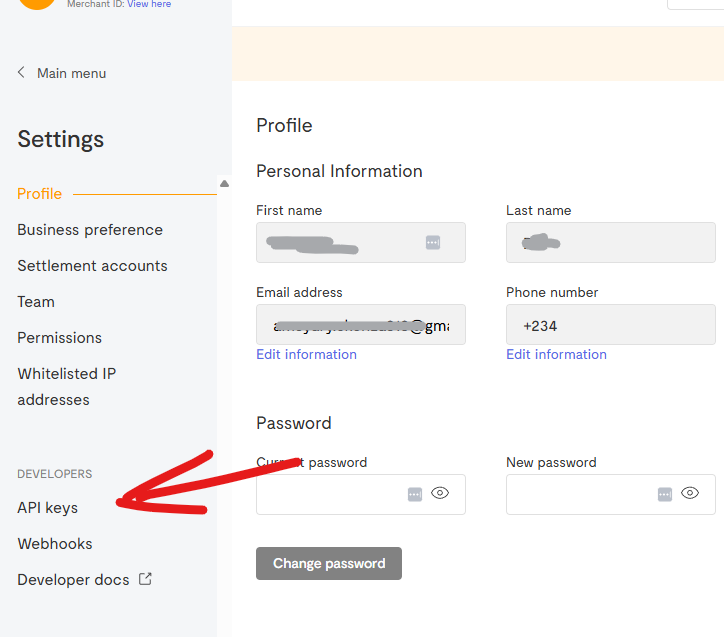
- In the Settings sidebar, choose API Keys
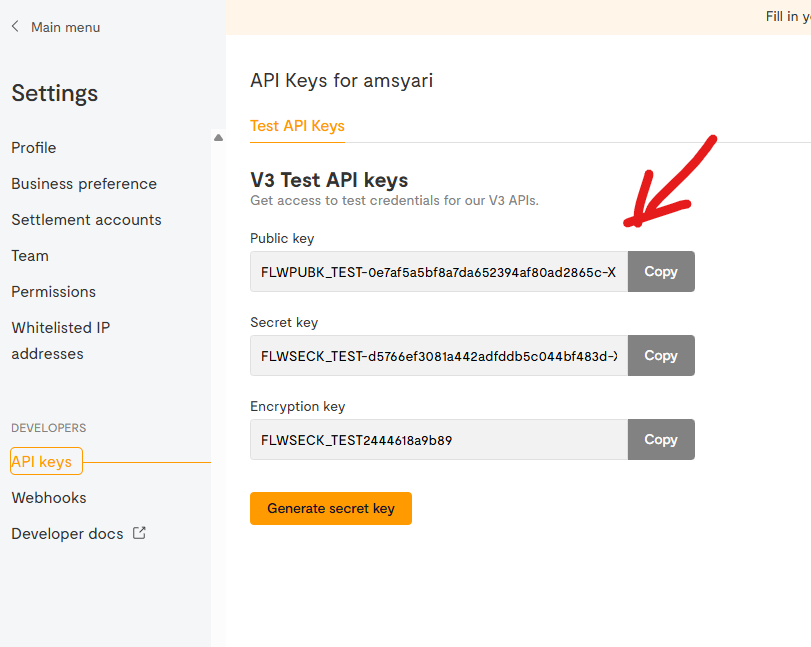
- Copy the Public Key
3) Add the Public Key to the Flutter client (.env)
Paste the Public Key into the Flutter project .env file in /Hallo_Doctor_Client_Firebase:
/.env
# Flutterwave
FLUTTERWAVE_PUBLIC_KEY=FLWPUBK_TEST-your_public_key_here
That’s it — the Flutterwave public key is configured in the client.
Next (recommended): secure it with webhooks
To prevent spoofed “payment success” messages from the client, implement a Flutterwave webhook endpoint and verify webhook signatures on the server.