Paystack Payment Gateway
This guide covers the basic Paystack setup (copy the secret key into Firebase Cloud Functions).
1) Create a Paystack account
- Register a new Paystack account: https://paystack.com/
- After registration, open your Paystack Dashboard.
2) Copy your Secret Key
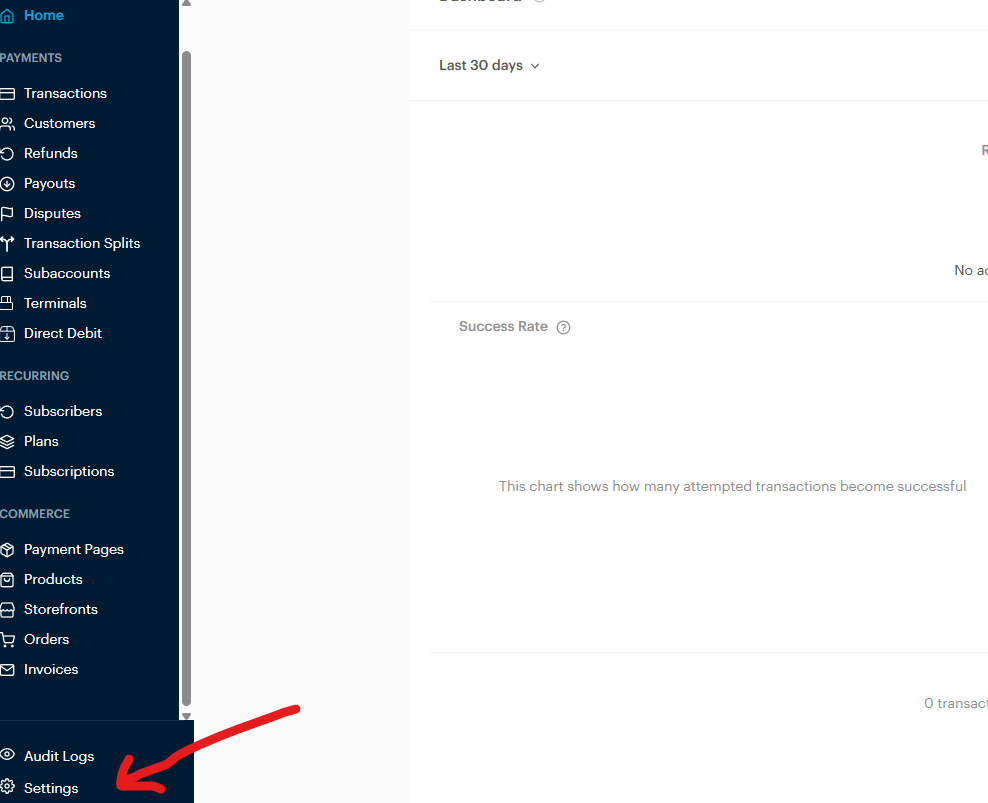
- From the Paystack Dashboard Home, click Settings
- Click API Keys & Webhooks
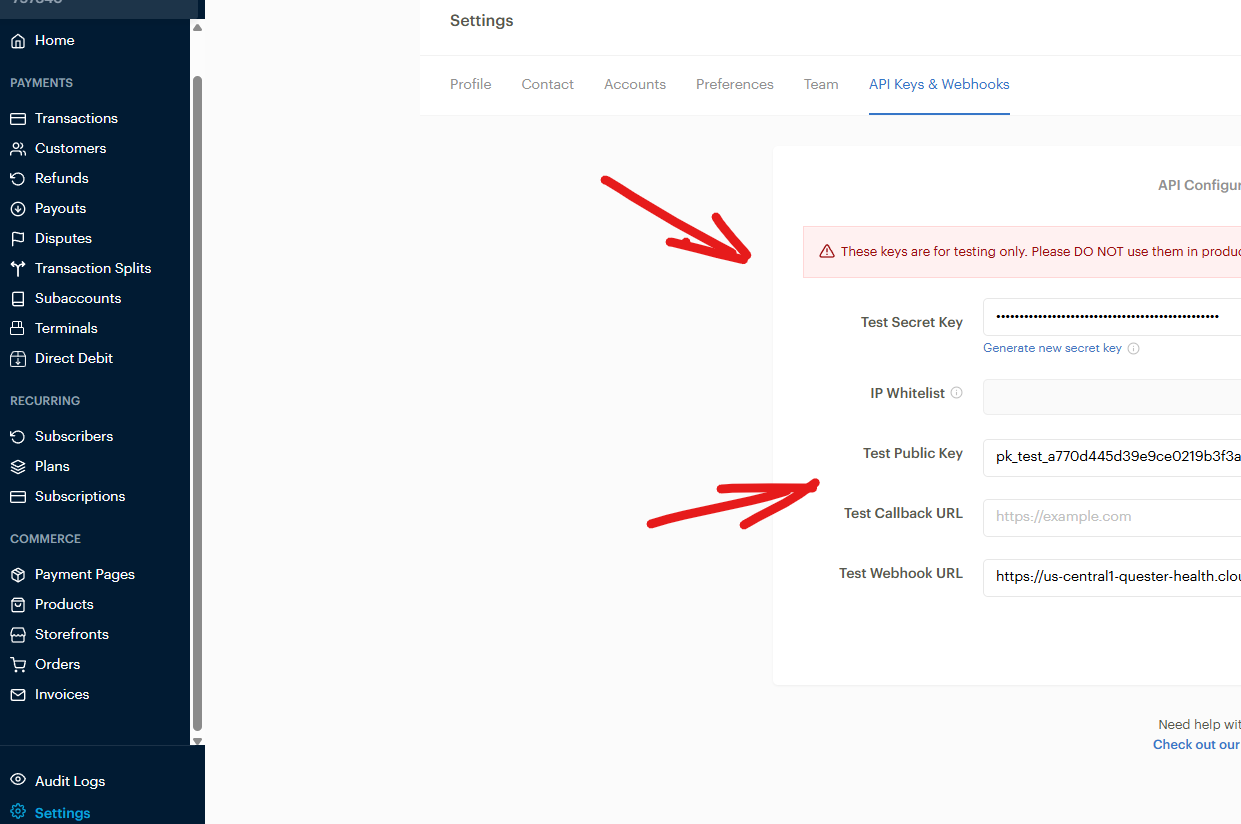
- Copy the Secret Key (
sk_test_.../sk_live_...)
3) Add the Secret Key to Firebase Cloud Functions (.env)
Paste the secret key into the Cloud Functions .env file in /Halo_Doctor_Cloud_Function_Firebase:
/Halo_Doctor_Cloud_Function_Firebase/.env
# Paystack
PAYSTACK_SECRET_KEY=sk_test_your_secret_key_here
Deploy after changes:
firebase deploy
That’s it — the Paystack secret key is configured in the Cloud Functions and the Paystack should work when you run the app.
Next (recommended): add webhooks
In Settings → API Keys & Webhooks, you can also configure webhooks.
Suggested follow-up work:
- Add a webhook endpoint in Firebase Functions (example:
paystackWebhook) - Verify webhook signatures server-side
- Verify transaction status with Paystack API before marking an order as paid